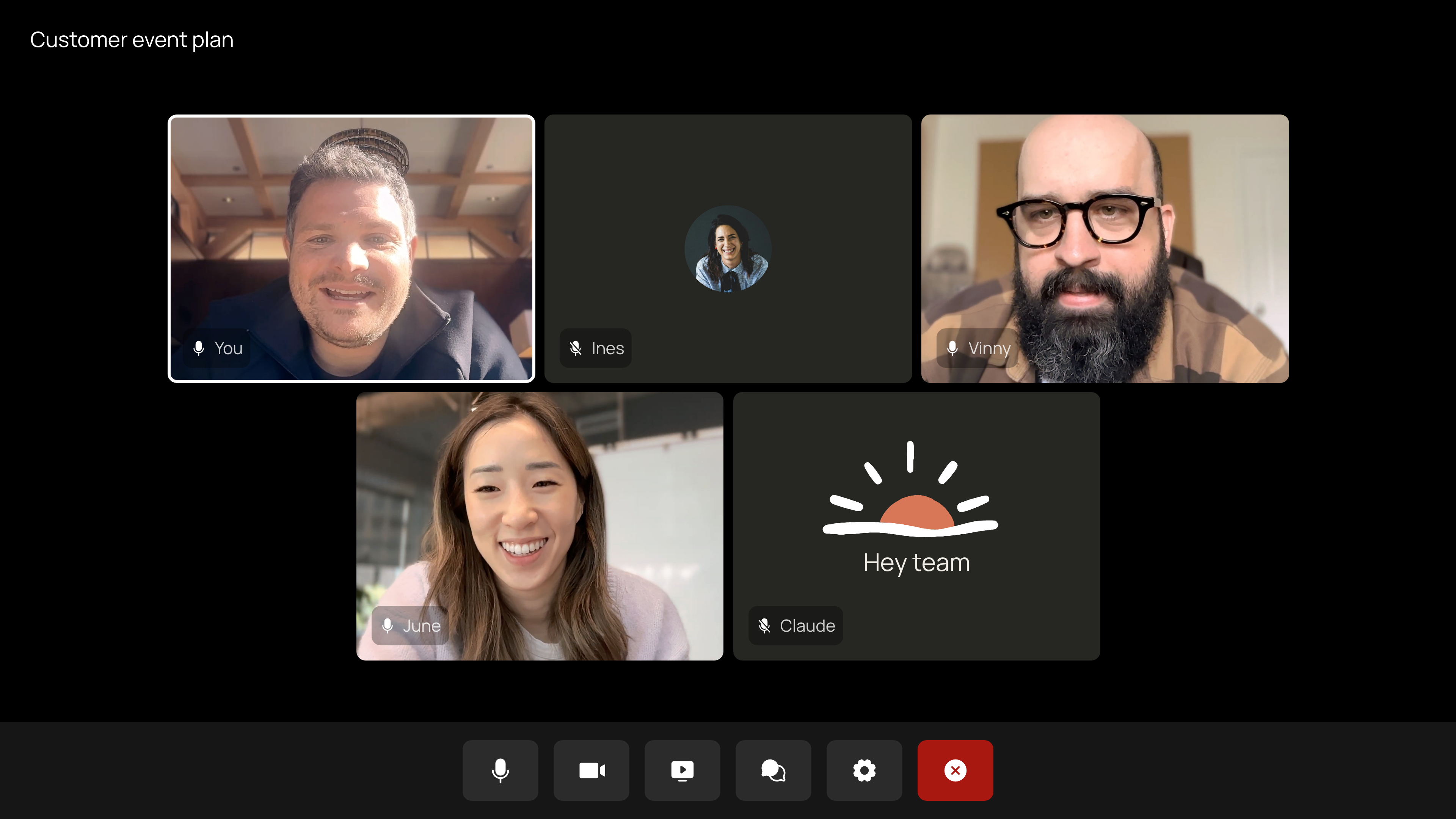
Image: Anthropic — Claude Meetings (official product image)
TL;DR — Claude Meetings Google Meet explained: Anthropic's Claude can now join a Google Meet call as a visible participant, answer questions in the chat and build docs and whiteboards while the team is talking. It is in beta on Team and Enterprise plans, notes and transcripts are free during the beta, and it saves a transcript — not audio.
Key Highlights
- Claude Meetings was announced by Anthropic on Tuesday, 10 November 2026, and the beta rollout began on Thursday, 12 November 2026.
- Claude joins a video call as a visible participant — it follows the conversation and starts work during the meeting, not after it.
- It works on Google Meet only at launch; support for other video platforms is coming soon, with no date given.
- The beta is limited to Team and Enterprise plans — Pro, Max and free users do not get it, and some regulated organisations are excluded.
- Claude saves a transcript, summary and screen descriptions — not audio — and by default stays out of calls with outside guests.
Claude Meetings Google Meet explained: what actually happens in the call
Most AI meeting tools sit quietly, record the call and send a summary afterwards. Claude Meetings is built on the opposite idea: the real work of a meeting usually starts after everyone hangs up, and Anthropic wants to move that work into the call itself. That is the pitch Anthropic made when it introduced the feature on 10 November, alongside Claude Whiteboards, Claude Sheets and Claude Data — and it is why the launch matters beyond yet another note-taker.
When Claude joins, it appears as a participant with its own tile and posts a notice in the meeting chat, so everyone on the call knows it is there. Your team can ask it questions out loud or in the chat. By default, Claude answers in writing in the chat, and it can use your connected tools — with your permission. It asks the first time it wants to use one of your tools, and a yes applies going forward; when someone asks a question out loud, Claude asks each time to confirm who is speaking.
Anthropic tested the feature on itself first: Axios reports the company ran it internally for about two months, and Claude now joins nearly all of Anthropic's own meetings. The launch also landed on the same day Anthropic began the roadshow for its highly anticipated US stock market listing, with Reuters reporting plans to raise as much as $64.4 billion at a $1 trillion valuation — a reminder of how much of Anthropic's story now runs through workplace products, not just chatbots.
What Claude builds while you talk
Anthropic's example is a team planning a customer event. Someone says, "Claude, start a doc for this plan," and Claude writes up what the team has said so far, while teammates on the invite edit the plan as the conversation continues. When the budget comes up, someone asks what last year's event cost; Claude asks for approval to look it up, posts the figure in the meeting chat and compares it with the current plan. When timelines come up, someone asks for a whiteboard, and the team works on the schedule alongside the doc. Before the meeting ends, someone asks Claude to share a recap with the team.
| During the call | What Claude does | What you get afterwards |
|---|---|---|
| Questions | Answers in the meeting chat, in writing; can check connected tools with your approval | Answers stay in the chat log on the meeting page |
| Live documents | Builds docs, whiteboards and other artifacts while you talk; teammates on the invite can edit them live | Docs and whiteboards on the meeting's page in claude.ai |
| Notes and actions | Writes the notes and action items, so no one on the call has to | Summary plus action items on the meeting page |
| Follow-up | Shares a recap with the team before the call ends | You can ask Claude about past meetings later, or add it to the next one from your calendar in claude.ai |
Anthropic is also working with partners including Gong, Attention, Granola, Fireflies.ai, Otter and Plaud, so you will soon be able to send a meeting's transcript to the tools your team already uses. That matters because it positions Claude Meetings as a collaborator that feeds your existing stack, not a replacement for it.
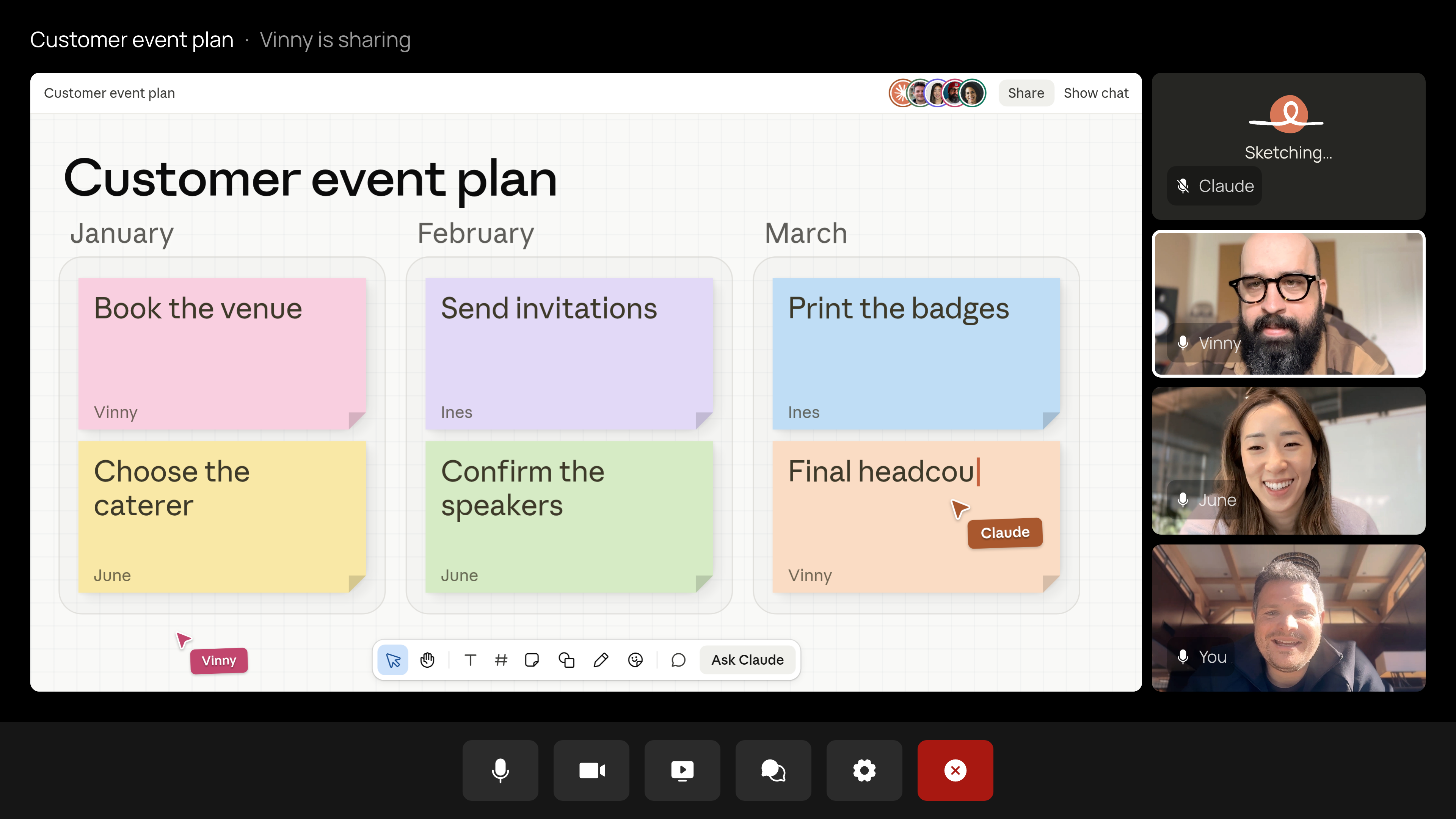
Image: Anthropic — Claude building a meeting plan live (official product image)
Who gets Claude Meetings, and what it costs
Claude Meetings is starting to roll out in beta on Team and Enterprise plans, in Claude and Claude Desktop. That is a deliberately narrow start: individual Pro, Max and free users do not get it, and neither do organisations with zero data retention, a HIPAA-ready configuration or customer-managed encryption keys, for the duration of the beta. On Team plans, inviting Claude to meetings is on by default and an admin can turn it off; on Enterprise plans, an admin turns it on for all or part of the organisation.
There is no separate price for Meetings itself. During the beta, Claude's notes and transcripts are free on Team and Enterprise plans, and so are its answers in your calls — unless an answer uses one of your connected tools, which counts toward your plan's usage. The docs, whiteboards and other artifacts Claude makes in a call are free through Wednesday, 10 February 2027. Anthropic has not said what any of it will cost after that.
| Plan | Meetings access | What it costs (US list prices) |
|---|---|---|
| Team (standard seat) | Beta, on by default; admin can switch it off | $25 per seat per month, or $20 billed annually |
| Team (premium seat) | Beta, on by default; admin can switch it off | $125 per seat per month, or $100 billed annually |
| Enterprise | Beta, admin turns it on for all or part of the organisation | Custom pricing — contact Anthropic |
| Pro, Max, Free | Not included | — |
Those are US list prices before tax, and Anthropic shows local pricing at checkout, so an Indian team should check the figure in rupees before budgeting. Team plans cover 2 to 150 seats. Anthropic's Help Center puts the practical limit at up to eight hours in a single call, with a warning before Claude leaves.
What it records — and the privacy rules that matter
Every meeting Claude joins gets its own page in claude.ai, with the notes, transcript and anything it built. People from your organisation on the invite can see it and edit what Claude made, and it can be shared with others in your organisation from the page. That shared page is the feature's real product: the meeting becomes a document the team can return to, instead of a conversation that evaporates.
Three rules deserve attention before you switch it on. First, Claude saves a transcript, a summary and descriptions of what was on screen — not audio. Second, by default it stays out of calls when someone from outside your organisation is invited, and leaves if someone from outside joins partway through. An admin can allow Claude on calls with outside guests; on those calls Claude posts its notice in the chat but does not reply there, and what guests say is included in the notes and transcript. Third, Anthropic's own advice is blunt: "Before you add Claude or turn on auto-join, make sure everyone on your calls is OK with being transcribed."
That last point carries extra weight for Indian teams. India's DPDP Act requires consent before personal data is processed, and a meeting transcript is personal data — so in practice, tell the room Claude is joining and get a yes before it does, rather than relying on the chat notice to do the job. The feature is also a contrast with the standalone note-takers it will be compared against: Otter.ai and Fireflies.ai record and summarise after the fact, and Google's own Gemini can take notes in Meet — but none of them build the plan, the budget comparison and the whiteboard while the discussion is still happening. That live-work difference is the whole bet.
Why it matters for India readers
Google Meet is the default meeting room for a huge share of Indian startups, IT teams and remote-first companies, so a Claude feature that only works on Meet still lands on familiar ground here — while teams on Zoom or Microsoft Teams simply have to wait. The timing also matters: Claude had a login outage on 13 November that locked users out, a reminder that a meeting assistant is only as reliable as the service behind it. And the direction of travel is clear — Claude is becoming an agent that does work inside other apps, from self-hosted Claude Managed Agents for enterprises to the interactive screens of Google's A2UI. If you are still thinking of Claude as a chatbot you paste text into, this is the week that picture changed. For the background, our explainer on what an AI agent actually is covers the shift in plain terms.
Should you care?
Worth trying if you run a Team or Enterprise workspace on Google Meet. The beta is free, the live-doc trick is genuinely different from a post-call summary, and the transcript-not-audio rule plus the external-guest guardrails are saner than most rivals' defaults. Wait if you are on Pro, Max or Free, on Zoom or Teams, or in a regulated setup — none of those are covered yet, and the artifact pricing after 10 February 2027 is still unknown.
FAQs
What is Claude Meetings?
Claude Meetings is Anthropic's beta feature that adds Claude to a Google Meet call as a visible participant. It follows the conversation, answers questions in the chat, builds docs and whiteboards live, and writes the notes and action items — then puts everything on a meeting page in claude.ai.
How do I add Claude to a Google Meet call?
You need a Claude Team or Enterprise plan, and the call must be on Google Meet. Someone on the invite adds Claude, or turns on auto-join in Settings; on Team plans it is on by default and an admin can switch it off, while on Enterprise plans an admin turns it on. Setup steps are in Anthropic's Help Center.
Does Claude Meetings work on Zoom or Microsoft Teams?
Not yet. Support is currently available for Google Meet only, and Anthropic says support for other video conferencing platforms is coming soon, with no date given.
Is Claude Meetings free?
During the beta, notes and transcripts are free on Team and Enterprise plans, and answers in calls are free unless they use your connected tools. Docs, whiteboards and artifacts made in a call are free through 10 February 2027. There is no separate Meetings price; it rides on the Team or Enterprise subscription.
Does Claude Meetings record audio?
No. Anthropic says Claude saves a transcript, a summary and descriptions of what was on screen, not audio. It also posts a notice in the meeting chat when it joins, and Anthropic advises making sure everyone on the call is OK with being transcribed before you add it.
Takeaway
Claude Meetings is Anthropic's clearest move yet from chatbot to co-worker: it does not just summarise your meeting, it does the meeting's homework while the meeting is still happening. The beta is narrow — Team and Enterprise, Google Meet only — but the direction is unmistakable, and the free beta window is the time to test whether live docs beat post-call summaries for your team.
Check whether your workspace admin has switched it on, and if you run meetings on Google Meet, try it on one low-stakes call first — then read our AI agent explainer to see where this kind of agent goes next.
Sources
Anthropic — Introducing Claude Meetings, now in beta (12 November 2026)
The Indian Express (Reuters) — Anthropic brings Claude to Google Meet to tackle tasks live (11 November 2026)
BetaNews — Claude Meetings joins Google Meet calls in Anthropic push (11 November 2026)
Technology.org — Claude Meetings Brings AI Into Google Meet (11 November 2026)
Claude — Plans and pricing (Team seat prices)
Comments
Post a Comment