OpenCode 2.3.0 Background Subagents Explained: Parallel AI Agents, Quieter Transcripts and the 13 November Update
Image: OpenCode (Anomaly) — OpenCode, the open source AI coding agent (official site image)
TL;DR: OpenCode 2.3.0 background subagents explained: subagents now run in the background by default, so several can work in parallel while you keep typing in the parent session. The 13 November 2026 release also makes transcripts quieter, adds Jump to message in the desktop app, and brings experimental MCP events support.
Key Highlights
- OpenCode 2.3.0 shipped on 13 November 2026. Subagents now return immediately with a session ID, run in the background, and report back when they go idle — several can run at once while you keep working.
- Transcripts are quieter by default: tool calls and thoughts fold into one collapsible activity row. Set verbosity to medium or high to see every step again.
- The desktop app gains Jump to message (Cmd+Alt+G on macOS, Ctrl+Alt+G on Windows and Linux) to search prompts across the current session and jump straight to one.
- Experimental flags add MCP events and moving timed-out shell commands to the background. Shell commands now also survive server handoffs and keep their output when interrupted.
- OpenCode stays free and open source (MIT) — you bring your own model key, and the optional OpenCode Go plan is $10 a month. We have not tested this release ourselves; the findings below come from the official changelog.
What happened?
OpenCode, the open source AI coding agent from Anomaly, shipped version 2.3.0 on 13 November 2026, three days after version 2.2.7. The release is listed first on the official OpenCode changelog, and independent release trackers confirm the date and the three headline changes: background subagents by default, quieter transcripts by default, and Jump to message in the desktop app.
The headline is the subagent change. Until now, a subagent call could block the session while the child worked. In 2.3.0, subagents always run in the background: the call returns at once with the child's session ID, the child works on its own, and it reports back to the parent whenever it goes idle. You can start several in parallel and keep typing in the parent session while they run. The changelog also fixes a sharp edge in the same area: when a subagent goes idle while its own background work is still running, its report now says so, so the parent waits for the final report instead of treating a partial answer as done.
OpenCode 2.3.0 background subagents explained
A subagent in OpenCode is a specialised helper — the built-in ones are General for multi-step work and Explore for read-only codebase searches — that runs in its own child session with fresh context. The parent agent launches it, the child does the work, and the parent gets a report. In 2.3.0 that handoff becomes non-blocking by default, which changes how you drive the tool: instead of waiting for one helper to finish, you can fan out — one subagent exploring the codebase, another researching a library, a third drafting a fix — and review their reports as they land.
The other headline changes are about keeping the session readable while that happens. Transcript verbosity now defaults to low, so each run of tool calls and thoughts collapses into a single activity row instead of scrolling past in full. If you want the old detail back, set verbosity to medium or high in settings, or set session.verbosity in your TUI config; an existing setting is kept. And in the desktop app, Jump to message (from the command palette, or Cmd+Alt+G on macOS and Ctrl+Alt+G on Windows and Linux) lets you search prompts across the current session and jump directly to one — useful once a long session has several background children reporting in.
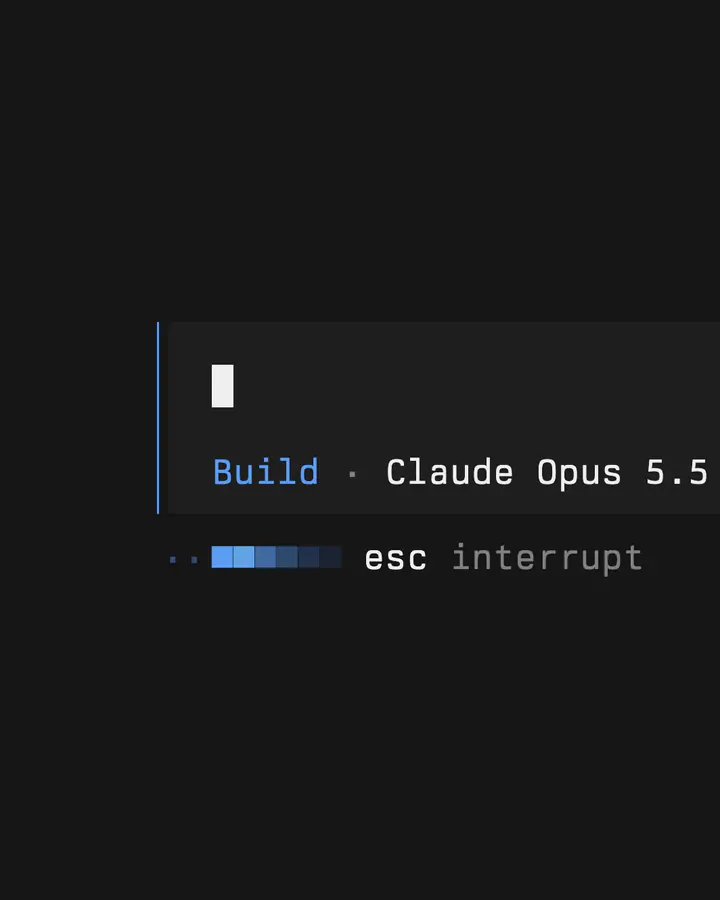
Image: OpenCode (Anomaly) — the OpenCode terminal interface (official site image)
| What changed in 2.3.0 | What it does | Who it helps |
|---|---|---|
| Background subagents by default | Subagents return immediately, run in the background, report when idle; several can run at once | Anyone delegating parallel work — explore, research and implement at the same time |
| Quieter transcripts by default | Verbosity defaults to low; tool calls and thoughts fold into one collapsible activity row | Long-session users who lost the answer in a wall of tool output |
| Jump to message (desktop app) | Search prompts across the current session and jump to one (Cmd+Alt+G / Ctrl+Alt+G) | Desktop users navigating long, multi-subagent sessions |
| Experimental MCP events | MCP event support behind the mcp_events flag | Developers wiring MCP servers into agent workflows |
| Shell commands survive handoffs | Commands keep their output when interrupted; timed-out commands can move to the background (shell_timeout_background flag) | Anyone running long builds or tests through the agent |
| Mutual TLS client certificates | Providers can present a client certificate via settings.tls (cert, key, optional passphrase) | Teams behind gateways that require mutual TLS |
Smaller additions in the same release include experimental freeform tool input on compatible models, LM Studio decision-model support, and agents being told when their session is a fork. The release also continues a fast cadence: OpenCode has shipped roughly every two days over the past month, with v2.2.7 landing on 10 November and v2.2.6 on 6 November.
What is OpenCode, and how is it different from Claude Code and Codex?
OpenCode is an open source coding agent: a terminal interface, a desktop app and a web app that let an AI model read your repository, edit files and run commands. It is not a model itself — it ships with no model and charges nothing for tokens. You connect a provider you already pay for (more than 75 providers through the models.dev catalogue, including Anthropic, OpenAI, Google and DeepSeek), or run a local model through Ollama or LM Studio, and all model spend goes to that provider. That is the core difference from Anthropic's Claude Code — from the company behind Claude Meetings joining Google Meet calls — and OpenAI's Codex CLI, which are each tied to one vendor's models: OpenCode trades a tuned model-and-harness pairing for model choice. OpenAI's Codex CLI also shipped a new version the same day (rust-v0.169.0 on 13 November, with side-chat tabs and searchable past tasks), so the whole AI-coding-agent field is moving at the same pace.
Two honest limits matter before you switch. First, a background child can change files while you edit the same files in the parent session, so review and undo need care — the retired third-party background-agents plugin documented the same hazard, and the release notes do not add a guard for it. Second, parallel children multiply token spend, and nothing in the release notes limits how many you can fan out — the guard is yours. And unlike Codex, OpenCode does not sandbox the agent, per its own security documentation. Treat background subagents as a way to parallelise work you would review anyway, not as unsupervised hands.
Why it matters for India readers
For Indian developers, the free-and-open part is the point. There is no subscription to use OpenCode itself — the only cost is what your chosen model provider charges for tokens, and you can point it at a local model through Ollama or LM Studio and keep your code on your own machine. The optional OpenCode Go plan ($10 a month) buys access to the best coding models, but it is not required. That makes the tool usable for students, freelancers and small teams who cannot justify a per-seat AI coding subscription, and for teams with code that cannot leave their network.
The timing also fits a wider shift in developer tooling this week: Deno joining Cloudflare and CocoaPods going read-only in December are both reshaping the tools developers rely on, and OpenCode 2.3.0 is the same story at the agent layer — the harness around the model is changing faster than the models themselves.
Should you care? Should you update?
Update if you already use OpenCode — background subagents and the quieter transcript are defaults, so you get them by upgrading, and Jump to message is worth it on long sessions. Try it if you code with AI agents and want model choice — it is free, open source, and works with local models. Wait if you need sandboxing or strict review controls — OpenCode does not sandbox the agent, and parallel background edits need careful review. If you fan out, start with one background subagent on a small, read-only task and check its diff before letting several write at once.
How to update to OpenCode 2.3.0
Re-run the official install command from the OpenCode docs — it fetches the latest version:
curl -fsSL https://opencode.ai/v2/install | bash
Then check the version in your terminal:
opencode --version
It should report v2.3.0 or later. If you installed through a package manager (for example Homebrew), update through that manager instead. The desktop app has its own download from the OpenCode docs page for macOS, Windows and Linux. After updating, the new defaults apply immediately — subagents run in the background and transcripts use low verbosity — but if you had already set session.verbosity, your setting is kept.
FAQs
What is new in OpenCode 2.3.0?
OpenCode 2.3.0, released 13 November 2026, makes subagents run in the background by default, makes transcripts quieter by default, and adds Jump to message in the desktop app. It also adds experimental MCP events support, lets timed-out shell commands move to the background, and adds mutual TLS client certificates for providers.
What are background subagents in OpenCode?
Background subagents are helper agents — such as the built-in General and Explore agents — that run in their own child session while you keep working in the parent session. The call returns immediately with the child's session ID, and the child reports back when it goes idle. Several can run at once, which is new as a default in 2.3.0.
How do I update OpenCode to 2.3.0?
Re-run the official install script — curl -fsSL https://opencode.ai/v2/install | bash — then check with opencode --version. If you installed via a package manager such as Homebrew, update through that manager instead. The desktop app is updated from its own download on the OpenCode docs page.
Is OpenCode free?
Yes. OpenCode is free and open source under the MIT licence, and it ships with no model — you bring your own API key, so your only spend is what your model provider charges for tokens. The optional OpenCode Go plan costs $10 a month and grants access to the best coding models, and OpenCode Console is a separate paid option.
Takeaway
OpenCode 2.3.0 turns subagents from a blocking call into background help — the biggest workflow change in the release — and pairs it with quieter transcripts and a way to jump back through long sessions. Update, start with one background subagent on a small task, and review its diff before you fan out.
If you use OpenCode, update to 2.3.0 and try one background subagent on a small task first — and if you want the wider developer-tooling picture, read our explainer on Deno joining Cloudflare.
Sources
OpenCode changelog — v2.3.0 (13 November 2026)
OpenCode releases on GitHub (anomalyco/opencode)
OpenCode docs — install, providers and OpenCode Go
OpenCode docs — agents and subagents
Developers Digest — OpenCode Background Subagents: What v2.3.0 Changes (13 November 2026)
Comments
Post a Comment